HIPAA compliant file sharing means sending protected health information only through a service that limits access to the right people, protects the files in transit, keeps a record of activity, and has signed a business associate agreement with you. No tool is compliant on its own; compliance comes from the safeguards, the contract and how you use it.
You work with a U.S. clinic, a health plan or a billing company. A patient file needs to go out today. It is too big for email, or it should not be in email at all.
You search for a HIPAA compliant file sharing service and find dozens of logos promising exactly that. This guide explains what the HIPAA rules actually require when you share files, what a business associate agreement is, which questions to ask any provider, and the everyday mistakes that turn a routine transfer into a reportable breach.
Quick Summary
- HIPAA does not certify or approve file sharing tools. A service is only one part of HIPAA compliant file sharing; your own safeguards and habits are the rest.
- The Security Rule’s technical safeguards cover access control, audit controls, integrity, authentication and transmission security.
- Encryption is currently an addressable specification: you must use it where reasonable and appropriate, or document why not and what you do instead. A January 2025 proposal would make it required.
- Any provider that stores protected health information for you is a business associate and must sign a business associate agreement (BAA), even if the files are encrypted.
- Breaches of unsecured health information must be reported to individuals within 60 days of discovery; properly encrypted data falls outside that definition.
In This Guide
What Is HIPAA Compliant File Sharing?
HIPAA compliant file sharing is the exchange of electronic protected health information (ePHI) in a way that meets the HIPAA Privacy, Security and Breach Notification Rules. In practice, that means restricted access, protection in transit and at rest, activity records, a signed business associate agreement with the provider, and staff who use it correctly.
HIPAA applies to covered entities (health plans, health care clearinghouses, and health care providers that conduct standard transactions such as insurance billing electronically) and to their business associates, the vendors that handle health information for them. Protected health information is any individually identifiable health information: a lab result, an insurance claim, a scanned referral letter, even an appointment list with names on it.
The phrase “HIPAA compliant” on a vendor’s website is a claim, not a status. In an official FAQ, HHS says it does not endorse or recognize private organizations’ “certifications” of Security Rule compliance, and that such certifications do not absolve covered entities of their legal obligations. You stay responsible for choosing a suitable service, signing the right agreement and configuring it properly.
What Does the HIPAA Security Rule Require for Sharing Files?
The HIPAA Security Rule requires five technical safeguards for systems that hold or send ePHI: access control, audit controls, integrity protection, person or entity authentication, and transmission security. They are set out in 45 CFR § 164.312 and apply to covered entities and business associates alike.
The text of 45 CFR § 164.312 maps neatly onto the features to look for in a file sharing service:
| Safeguard (45 CFR § 164.312) | What the rule says | What it means for file sharing |
|---|---|---|
| Access control | Allow access only to persons or software programs granted access rights; unique user IDs and emergency access are required | Every sender has their own login; files open only for the intended recipient |
| Audit controls | Record and examine activity in systems that contain ePHI | You can see who sent what, when, and whether it was downloaded |
| Integrity | Protect ePHI from improper alteration or destruction | Files arrive exactly as sent; nobody can swap or edit them in transit |
| Authentication | Verify that a person seeking access is the one claimed | A passphrase, code or login the recipient must provide before opening anything |
| Transmission security | Guard against unauthorized access to ePHI sent over a network; encryption is addressable | TLS for every connection; links that expire rather than live forever |
Is Encryption Required Under HIPAA?
Not strictly, today. Under 45 CFR § 164.306(d), encryption is an “addressable” implementation specification. That does not mean optional: you must assess whether it is reasonable and appropriate, implement it if it is, and if it is not, document why and put an equivalent measure in place. For files sent over the internet, it is very hard to argue that encryption is unreasonable.
That may change. On January 6, 2025, HHS published a proposed rule in the Federal Register that would remove the addressable distinction and require encryption of ePHI at rest and in transit, with limited exceptions. As of October 2026 it is still a proposal (HHS has not published a final rule), but it shows where enforcement is heading.
Start With a Risk Analysis
Before choosing any tool, the administrative safeguards in 45 CFR § 164.308 require an “accurate and thorough assessment” of the risks to ePHI, followed by security measures that reduce those risks to a reasonable level. How you send files to patients, labs and partners belongs in that analysis.
What Is a Business Associate Agreement, and Do You Need One?
A business associate agreement (BAA) is a contract in which a vendor that handles protected health information for you agrees to safeguard it, report breaches and follow the HIPAA rules. You need one with any file sharing provider that stores or routinely accesses ePHI on your behalf, before you upload a single patient file.
Under the definition in 45 CFR § 160.103, a business associate is a person or company that “creates, receives, maintains, or transmits” protected health information on behalf of a covered entity. A file sharing service that stores your files fits that description.
Encryption does not change the answer. HHS’s cloud guidance says a provider that stores only encrypted ePHI, and does not even hold the decryption key, is still a business associate. The narrow “conduit” exception covers services that only transmit information with transient access, such as an internet service provider, not services that store files.
Big platforms handle this through their admin consoles. Dropbox’s help centre lists the business plans whose admins can sign a BAA electronically, and adds that “ultimately it’s up to you” to meet your regulatory obligations. Google’s Workspace documentation says administrators “must review and accept a BAA before using PHI in Google services.” Personal and free accounts are a different matter, so check before you rely on them.
How Do You Choose a HIPAA Compliant File Sharing Service?
To choose a HIPAA compliant file sharing service, confirm that the provider will sign a BAA, encrypts files in transit and at rest, gives each user a unique login, keeps an activity record, lets you control and revoke access, and deletes files on a schedule. Then check that your plan, not just the provider, includes those features.
Ask every provider these questions, and keep the answers with your risk analysis:
- Will you sign a BAA with us, on this plan? If the answer is no, do not use the service for ePHI.
- How are files encrypted? Look for TLS in transit and strong encryption, such as AES-256, at rest.
- How do recipients prove who they are? A passphrase, code or account, not just possession of a link.
- What records do we get? Sent, opened and downloaded status for each transfer, per user.
- Can we revoke a transfer? You need to be able to cancel a link sent to the wrong person.
- When are files deleted? Expiry dates and automatic deletion reduce what can leak later.
- Where is the data stored, and who are your subcontractors? Business associates must bind their own subcontractors too.
| Email attachment | Consumer cloud link | Managed secure transfer with a BAA | |
|---|---|---|---|
| Business associate agreement | Depends on the email provider and plan | Usually not on free or personal plans | Signed before use |
| Recipient authentication | None beyond the inbox | Often anyone with the link | Passphrase or login required |
| Expiry and revocation | Cannot be recalled | Manual, easy to forget | Automatic expiry; cancel before download |
| Activity record | Sent folder only | Varies by plan | Per-transfer status |
| Encryption | Depends on each mail server | In transit and at rest | In transit and at rest |
Email is not banned under HIPAA, but it is the hardest channel to control. Our guides on how to encrypt email in Outlook and send a secure email in Gmail show what each client can and cannot do.
What Happens if Health Information Is Shared the Wrong Way?
If unsecured protected health information is sent to the wrong person or exposed, it is presumed to be a breach unless a documented risk assessment shows a low probability that it was compromised. The covered entity must notify each affected person without unreasonable delay and no later than 60 calendar days after discovery, and report the breach to HHS. Large breaches also trigger media notice.
The notification rules are specific. Under 45 CFR § 164.404, individual notices are due within 60 calendar days. Under 45 CFR § 164.408, breaches affecting 500 or more people are reported to HHS at the same time; smaller breaches go in a log reported within 60 days after the end of the calendar year. A breach affecting more than 500 residents of a state also requires notice to prominent media outlets there.
Encryption matters most here. 45 CFR § 164.402 defines unsecured protected health information as information “not rendered unusable, unreadable, or indecipherable to unauthorized persons” through methods HHS specifies. Files encrypted to HHS’s standard, with the key kept separate, are outside that definition.
Most breaches involving files start with ordinary mistakes:
- An auto-completed email address sends a referral to the wrong clinic.
- A shared folder link is forwarded and stays open for months.
- The password for a protected PDF is sent in the same email as the file.
- Records are exported to a personal cloud account to work from home.
Our article on document confidentiality covers the habits that prevent these, and the guide to password protecting a PDF explains why the password must travel separately.
Where Does SureSend Fit?
This is where SureSend comes into the picture. SureSend is a Canadian secure file transfer service that sends files through a passphrase-protected link that expires on a date you choose. SureSend encrypts every file while it’s sent and while it’s stored (TLS in transit, AES-256 at rest). It was built for Canadian professionals who send sensitive documents to clients, colleagues and other organizations.
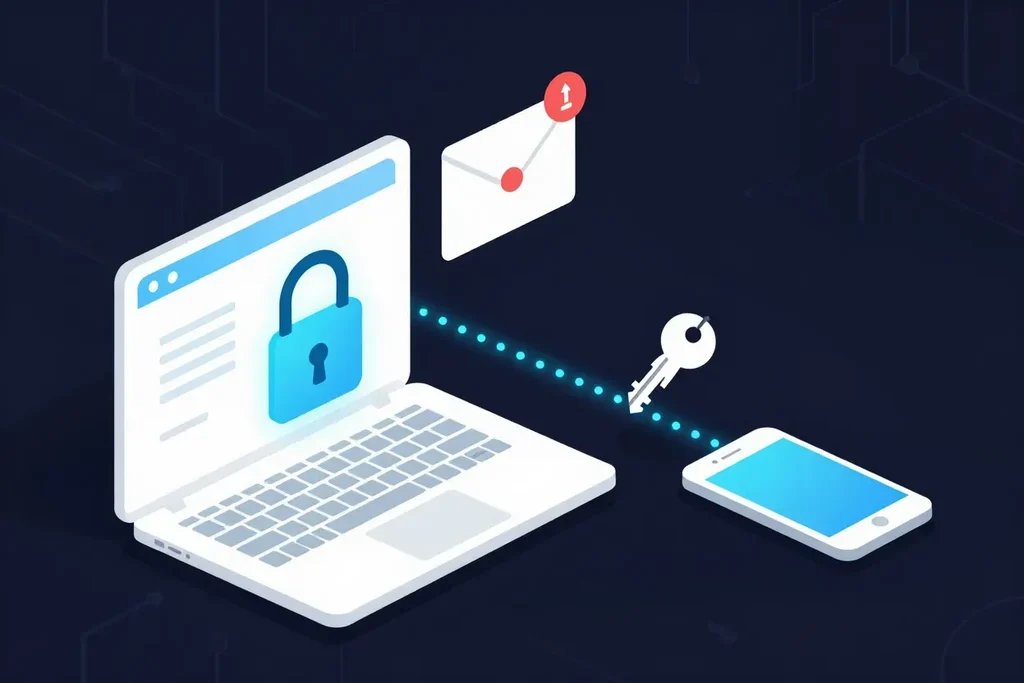
Here is exactly how it works:
- Create a transfer. Sign in, add one or more recipient email addresses, upload your files, and choose an expiry date of up to 21 days.
- Set a passphrase. SureSend emails each recipient a secure link, but the passphrase is never included in that email. You share it separately, by phone or text.
- The recipient downloads. They open the link, enter the passphrase, and download the files. They do not need a SureSend account.
- Track and control it. Your dashboard shows when the transfer is retrieved. You can cancel it before it is downloaded, and it expires automatically.
Each transfer allows one successful download. If the download is interrupted, the recipient can try again until one download completes; after that the link cannot be used again, and the transfer’s status updates to Retrieved.
Those controls line up with several of the safeguards above: a passphrase for authentication, encryption in transit and at rest, a status record for every transfer, and a link you can cancel before it is downloaded.
Be clear about one thing. If you are a U.S. covered entity or business associate, HIPAA requires a business associate agreement with any service that stores your patients’ files, SureSend included. Confirm that in writing before you send ePHI through any provider. For Canadian health information, the rules come from provincial laws such as Ontario’s PHIPA and the federal PIPEDA, and a secure transfer tool is one control within your own privacy program, not a compliance solution on its own.
You can start on the free Starter plan; Pro is $7 CAD/month plus applicable taxes, with transfers up to 2 GB.
Send Sensitive Files Without Leaving Copies in Inboxes
SureSend encrypts every file while it’s sent and while it’s stored: TLS in transit and AES-256 encryption at rest. Send up to 2 GB per transfer, protect it with a passphrase you share separately, set an expiry of up to 21 days, and see when it is retrieved. Your recipient needs no account. New subscribers get 30 days of Pro free, with no credit card required. Start sending securely for free.
A Quick Workflow That Works
Whatever service you use, this routine keeps file sharing defensible:
- Record file sharing in your risk analysis: what you send, to whom, and through which channel.
- Sign a business associate agreement with the provider before any ePHI is uploaded.
- Give every staff member their own login. No shared accounts.
- Send only the minimum necessary: the pages the recipient needs, not the whole chart.
- Share the passphrase or password by a different channel, such as a phone call.
- Set the shortest expiry that works, and cancel any transfer sent to the wrong address at once.
- Keep transfer records with your HIPAA documentation.
Frequently Asked Questions
What makes file sharing HIPAA compliant?
File sharing is HIPAA compliant when the service protects ePHI with access controls, audit records, integrity protection, authentication and transmission security, the provider has signed a business associate agreement, and your staff use it according to your policies. The tool alone is never enough.
Is there an official HIPAA certification for file sharing software?
No. HHS does not offer a HIPAA certification and does not recognize private organizations’ certifications of Security Rule compliance. Vendors may hold third-party audits, but you remain responsible for your risk analysis, your business associate agreements and how the service is used.
Is Dropbox HIPAA compliant?
Dropbox says admins of its business plans, such as Standard, Advanced and Enterprise, can sign a business associate agreement from the admin console. Dropbox can be used for ePHI only after that agreement is signed and the account is configured properly; Dropbox also says compliance is ultimately the customer’s responsibility.
Is Google Drive HIPAA compliant?
Google Drive can be used for ePHI only through a Google Workspace account whose administrator has reviewed and accepted Google’s business associate agreement, and only for the services that agreement covers. Google says customers are responsible for determining whether HIPAA applies to them and for using the services correctly.
Can I email protected health information?
HIPAA does not ban email, but you must protect ePHI in transit and guard against misdirected messages. Encrypted email or a secure file transfer link is safer, and the password should always be shared separately.
Is encryption required by HIPAA?
Encryption is currently an addressable specification under the Security Rule: you must use it where reasonable and appropriate or document an equivalent alternative. A rule HHS proposed in January 2025 would make encryption of ePHI at rest and in transit required, with limited exceptions; as of October 2026 it has not been finalized.
Does a cloud provider need a BAA if files are encrypted?
Yes. HHS says a cloud service provider that stores ePHI is a business associate even if the data is encrypted and the provider does not have the key. Only services that merely transmit data with transient access fall under the conduit exception.
Does HIPAA apply in Canada?
HIPAA is a U.S. law. It can reach a Canadian business that handles protected health information for a U.S. covered entity, for example as a business associate, but it does not govern Canadian health care in general. Health information in Canada is governed by provincial health privacy laws, such as PHIPA in Ontario, and by PIPEDA.
Sources
This article draws on the following sources.
- U.S. Code of Federal Regulations. 45 CFR § 164.312, Technical safeguards. govinfo.gov
- U.S. Code of Federal Regulations. 45 CFR § 164.306, Security standards: General rules (required and addressable specifications). govinfo.gov
- U.S. Code of Federal Regulations. 45 CFR § 164.308, Administrative safeguards (risk analysis, business associate contracts). govinfo.gov
- U.S. Code of Federal Regulations. 45 CFR § 160.103, Definitions (business associate). govinfo.gov
- U.S. Code of Federal Regulations. 45 CFR § 164.402, Definitions (unsecured protected health information). govinfo.gov
- U.S. Code of Federal Regulations. 45 CFR § 164.404, Notification to individuals. govinfo.gov
- U.S. Code of Federal Regulations. 45 CFR § 164.408, Notification to the Secretary. govinfo.gov
- U.S. Department of Health and Human Services. Guidance on HIPAA and Cloud Computing. hhs.gov
- U.S. Department of Health and Human Services. FAQ 2003: Are we required to certify our organization’s compliance with the standards?. hhs.gov
- Federal Register. HIPAA Security Rule To Strengthen the Cybersecurity of Electronic Protected Health Information (proposed rule, January 6, 2025). federalregister.gov
- Dropbox Help Center. HIPAA/HITECH overview and business associate agreements. help.dropbox.com
- Google Workspace Admin Help. HIPAA compliance with Google Workspace and Cloud Identity. support.google.com
The Bottom Line
HIPAA compliant file sharing is not a product feature. It is a signed business associate agreement, the five technical safeguards, a risk analysis, and staff who send files the careful way. Choose a provider that will put its commitments in writing, and make passphrases, expiry dates and transfer records part of every send.
Protect the file. Then protect the habit. Just SureSend it.