
A privacy impact assessment (PIA) is a structured review of a new or changed project that maps the personal information it will handle, identifies the privacy risks, and records the measures that will reduce them before the project starts.
You are about to switch to new client software. Or move your files to a cloud service. Or start sending payroll records to an outside bookkeeper. Each change moves personal information somewhere new.
A PIA is how you check that move before you make it. This guide explains what a PIA means in Canada, when one is required, how to do one step by step, and what a simple template should include.
Quick Summary
- A privacy impact assessment maps the personal information a project uses, finds the privacy risks and sets out how to reduce them.
- Federal institutions must do PIAs under Treasury Board policy, a requirement since 2002.
- In Quebec, Law 25 requires businesses to do one for new information systems and before sending personal information outside Quebec.
- In Alberta, health custodians must submit PIAs to the Commissioner; private-sector organizations are encouraged to do them as a best practice.
- Start before the project is built, document the information flows, and review the PIA when the project changes.
What Is a Privacy Impact Assessment?
A privacy impact assessment is a risk management process for personal information. The Office of the Privacy Commissioner of Canada (OPC) describes a PIA as "a risk management process that helps institutions ensure they meet legislative requirements and identify the impacts their programs and activities will have on individuals' privacy."
In practice, the privacy impact assessment meaning is simple: before you build or buy something that uses personal information, you write down what information it collects, where that information goes, who can see it, and what could go wrong. Alberta's privacy commissioner puts it this way: "Generally, a PIA maps the flow of information in a proposed system or practice and identifies the legal authority permitting it."
A PIA is not an audit of everything you already do. It looks at one project, one system or one practice, ideally while it can still be changed.
Is a Privacy Impact Assessment Mandatory in Canada?
A PIA is mandatory in Canada for some organizations, not all. Federal institutions must do them under Treasury Board policy, Quebec businesses must do them under Law 25 in set situations, and Alberta health custodians must submit them to the Commissioner. For most other private-sector businesses, a PIA is a recommended best practice.
| Who | Is a PIA required? | Rule |
|---|---|---|
| Federal government institutions | Yes, a policy requirement since 2002 | Treasury Board Directive on Privacy Practices |
| Businesses in Quebec | Yes, for new or overhauled information systems and before sending personal information outside Quebec | Law 25: private sector Act, sections 3.3 and 17 |
| Health custodians in Alberta | Yes, submitted to the Commissioner for review and comment | Health Information Act, section 64 |
| Private-sector organizations in Alberta | No legal requirement; recommended as a best practice | Personal Information Protection Act (PIPA) |
Rules as published by each regulator, checked on November 1, 2026.
Federal Institutions
The OPC's PIA guide says PIAs "are required under the TBS Directive on Privacy Practices and have been a policy requirement since 2002." It adds that in 2024, the Treasury Board Secretariat "introduced a mandatory standardized PIA template." Institutions submit their PIA to the OPC and to the Treasury Board Secretariat.
Quebec Businesses Under Law 25
Quebec's private-sector privacy law says "any person carrying on an enterprise must conduct a privacy impact assessment for any project to acquire, develop or overhaul an information system or electronic service delivery system involving the collection, use, communication, keeping or destruction of personal information."
Section 17 adds a second trigger: "Before communicating personal information outside Québec, a person carrying on an enterprise must conduct a privacy impact assessment." The assessment must take into account the sensitivity of the information, its purposes, the protection measures and the legal framework where it is sent. Our guide to Quebec Law 25 covers the rest of the law.
Alberta
Alberta's Information and Privacy Commissioner says custodians under the Health Information Act are required in certain circumstances to complete a PIA and "submit it to the Commissioner for review and comment." For businesses, it says: "There is no such requirement in the Personal Information Protection Act (PIPA) for private sector organizations," although it recommends a PIA as a best practice.
Everywhere Else
Even where no law names a PIA, privacy law still expects you to protect what you collect. PIPEDA, the federal private-sector law, says personal information "shall be protected by security safeguards appropriate to the sensitivity of the information." A PIA is a practical way to show how you decided what "appropriate" means for a project. Health custodians in Ontario should also read our guide to PHIPA.
When Should You Do a Privacy Impact Assessment?
Do a PIA before you start a new project or make a major change that involves personal information, while the design can still change. The OPC's advice is to start your PIA "before undertaking new or substantially changed programs or activities, in all but exceptional cases."
For a small business, common triggers include:
- New software that holds client or employee data, such as a practice management system, payroll tool or CRM.
- A new vendor or cloud service, especially one that stores information outside your province or outside Canada.
- A new way of sharing files with clients, patients or outside advisers.
- Combining data sets, such as linking a customer list with purchase or health records.
- Using personal information in a new way, for example for automated decisions or marketing.
In Quebec, the triggers in the law apply directly. Section 21 also requires a PIA before personal information is communicated without consent for study, research or statistics.
How Do You Conduct a Privacy Impact Assessment?
To conduct a PIA, describe the project, map how personal information flows through it, check each step against your legal obligations, rate the risks, plan measures to reduce them, get sign-off, and review the PIA as the project changes. The OPC's guide for federal institutions follows a similar order, from confirming a PIA is needed to monitoring it continuously.
- Confirm a PIA is needed. Note the project, its owner and whether a law requires a PIA. In Quebec, consult your person in charge of personal information from the outset.
- Describe the project. What it does, who uses it, which vendors are involved and when it starts.
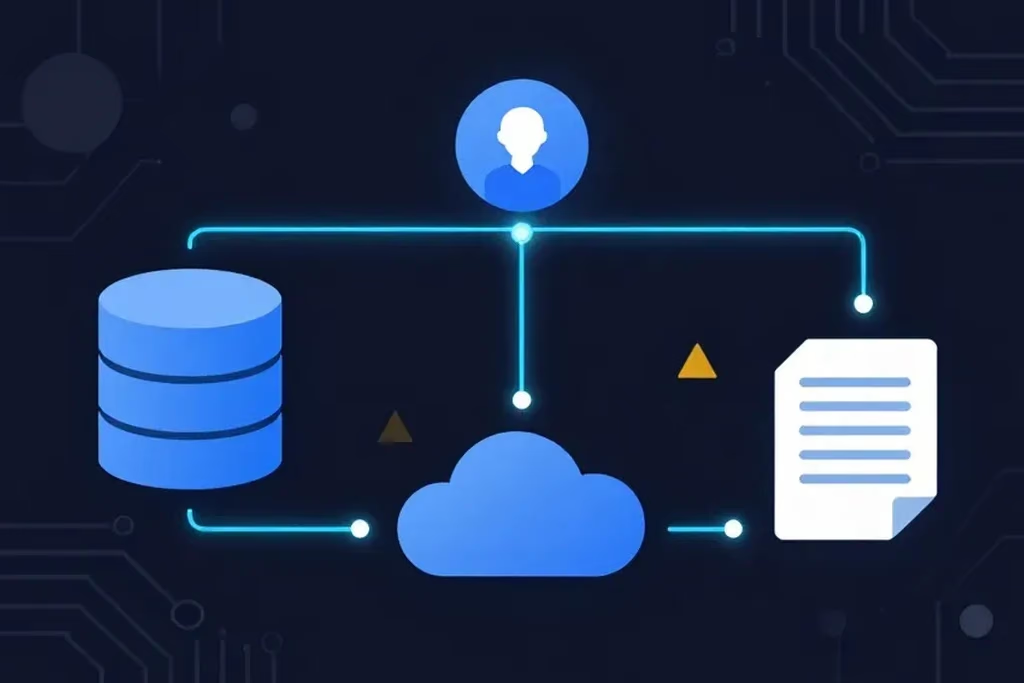
- Map the information flows. List each type of personal information and follow it from collection to use, sharing, storage and destruction.
- Check necessity and proportionality. Ask whether you need each item, and whether a less privacy-invasive option exists.
- Identify and rate the risks. Unauthorized access, misdirected emails, over-collection, keeping data too long, weak vendor contracts.
- Plan the measures. For each risk, record the fix, who owns it and the deadline.
- Get approval and keep it current. Have the accountable person sign off, then update the PIA when the project changes.
Quebec's law says the PIA "must be proportionate to the sensitivity of the information concerned, the purposes for which it is to be used, the quantity and distribution of the information and the medium on which it is stored." A small project with little sensitive data needs a short PIA; a new patient records system needs a thorough one.
What Should a Privacy Impact Assessment Template Include?
A privacy impact assessment template should include a project description, an inventory of the personal information involved, a data flow map, the legal basis, a risk register with ratings, the planned safeguards, and a sign-off and review section. Federal institutions must use the Treasury Board's standardized template; businesses can use a simpler outline.
| Section | What to record |
|---|---|
| 1. Project overview | Name, owner, purpose, start date, vendors involved |
| 2. Personal information inventory | Each data element (names, SINs, health or financial records) and whose it is |
| 3. Data flow map | Collection, use, sharing, storage location, retention and destruction |
| 4. Legal basis and consent | Which law applies and how consent is obtained |
| 5. Risk register | Each risk, its likelihood and impact, and its rating |
| 6. Safeguards and actions | Technical, physical and administrative measures, owner, deadline |
| 7. Approval and review | Sign-off, date and the next review trigger |
Keep the PIA with the project's records. If a regulator, client or auditor asks how you assessed the risks, it is your answer.
Example: A PIA for How You Send Client Files
A common gap a PIA uncovers is how files leave the office. A plain email attachment can go to the wrong person through auto-complete, be forwarded, and stays in inboxes indefinitely. Our guide on whether email is secure explains why.
| Risk found in the PIA | Likely impact | Safeguard to record |
|---|---|---|
| Attachment sent to the wrong address | Disclosure of client records | Send a link that also needs a passphrase shared by phone or text |
| Files left in inboxes for years | Longer exposure if an account is breached | Use links that expire on a set date |
| No record of who downloaded a file | Hard to assess a possible breach | Use a tool that shows when a file is retrieved |
| Large files sent through personal accounts | Data outside your control | Give staff one approved way to send large files |
Our guide to sending documents securely compares the options in more detail.
A Safer Way to Send Files Covered by Your PIA
This is where SureSend comes into the picture. SureSend is a Canadian secure file transfer service that sends files through a passphrase-protected link that expires on a date you choose. SureSend encrypts every file while it's sent and while it's stored (TLS in transit, AES-256 at rest). It gives the file-sharing part of your PIA a clear, documented safeguard: a passphrase, an expiry date and a status you can check.
Here is exactly how it works:
- Create a transfer. Sign in, add one or more recipient email addresses, upload your files, and choose an expiry date of up to 21 days.
- Set a passphrase. SureSend emails each recipient a secure link, but the passphrase is never included in that email. You share it separately, by phone or text.
- The recipient downloads. They open the link, enter the passphrase, and download the files. They do not need a SureSend account.
- Track and control it. Your dashboard shows when the transfer is retrieved. You can cancel it before it is downloaded, and it expires automatically.
Each transfer allows one successful download. If the download is interrupted, the recipient can try again until one download completes; after that the link cannot be used again, and the transfer's status updates to Retrieved.
Your dashboard shows every transfer's status, so you can see which files were retrieved and which links expired or were cancelled.
Your recipient needs no account. You can start on the free Starter plan. Pro is $7 CAD/month plus applicable taxes, with transfers up to 2 GB. SureSend doesn't keep your files forever; they're removed when the transfer expires. A secure transfer tool is one safeguard within your privacy program, not a compliance solution on its own.
Make File Sharing the Easy Part of Your PIA
SureSend encrypts every file while it's sent and while it's stored: TLS in transit and AES-256 encryption at rest. Send up to 2 GB per transfer, protect it with a passphrase you share separately, set an expiry of up to 21 days, and see when it is retrieved. Your recipient needs no account. New subscribers get 30 days of Pro free, with no credit card required. Start sending securely for free.
A Quick Workflow That Works
Use this order for any new project that touches personal information:
- Before you buy or build, decide whether a PIA is required or simply wise.
- List the personal information and draw how it flows.
- Ask whether you need every item, and for how long.
- Rate the risks and choose a safeguard for each one.
- Get sign-off from the person accountable for privacy.
- Review the PIA when the project, vendor or data changes.
If you can send an email, you can SureSend a file.
Frequently Asked Questions
What does PIA stand for in privacy?
PIA stands for privacy impact assessment. It is a documented review of a new or changed project that identifies how personal information will be handled, the risks to privacy, and the measures that will reduce them.
Is a privacy impact assessment mandatory for businesses in Canada?
It depends on the province and sector. Quebec's Law 25 requires businesses to do one for new or overhauled information systems and before sending personal information outside Quebec. Alberta's commissioner says PIPA has no such requirement for private-sector organizations, but recommends one as a best practice.
When is a privacy impact assessment required for federal institutions?
The OPC says a PIA is generally required if a program or activity may have an impact on the personal information of individuals. It should start before new or substantially changed programs or activities, in all but exceptional cases.
Do Alberta health custodians need a privacy impact assessment?
Yes, in certain circumstances. Alberta's Information and Privacy Commissioner says custodians under the Health Information Act must complete a PIA and submit it to the Commissioner for review and comment.
Is there a privacy impact assessment template?
Federal institutions must use the Treasury Board's standardized PIA template, introduced in 2024. Businesses can use a simpler outline: project overview, information inventory, data flow map, legal basis, risk register, safeguards, and approval and review.
What is the difference between a PIA and a privacy audit?
A PIA looks forward at one new or changed project before it starts. An audit looks back at practices already in place to check whether they comply.
How does SureSend protect files?
SureSend encrypts files in transit (TLS) and at rest (AES-256), and SureSend manages the encryption keys. The passphrase is never included in the email with the link.
Sources
This article draws on the following sources, checked on November 1, 2026. Laws and regulator guidance change, so confirm the current version on each page.
- Office of the Privacy Commissioner of Canada. Expectations: OPC's Guide to the Privacy Impact Assessment Process. priv.gc.ca
- Office of the Privacy Commissioner of Canada. Privacy Impact Assessments – Overview. priv.gc.ca
- Government of Quebec, LégisQuébec. Act respecting the protection of personal information in the private sector (CQLR c. P-39.1), sections 3.3, 17 and 21. legisquebec.gouv.qc.ca
- Commission d'accès à l'information du Québec. Principaux changements apportés par la Loi 25 (in French). cai.gouv.qc.ca
- Office of the Information and Privacy Commissioner of Alberta. Privacy Impact Assessments. oipc.ab.ca
- Government of Canada, Justice Laws. Personal Information Protection and Electronic Documents Act, Schedule 1, Principle 4.7 (Safeguards). laws-lois.justice.gc.ca
The Bottom Line
A PIA is a short, practical habit: look at where personal information will go before you send it there. For federal institutions, Quebec businesses and Alberta health custodians it is required; for everyone else it is the clearest way to show you took privacy seriously.
Map the data. Fix the risks. Then just SureSend it.